Write Beautifully,
Organize Brilliantly.
From a two-line meeting note to something suspiciously close to a thesis, Cherry Note stays out of your way. It keeps your writing distraction-free and neatly formatted (or not, when you can't be bothered).
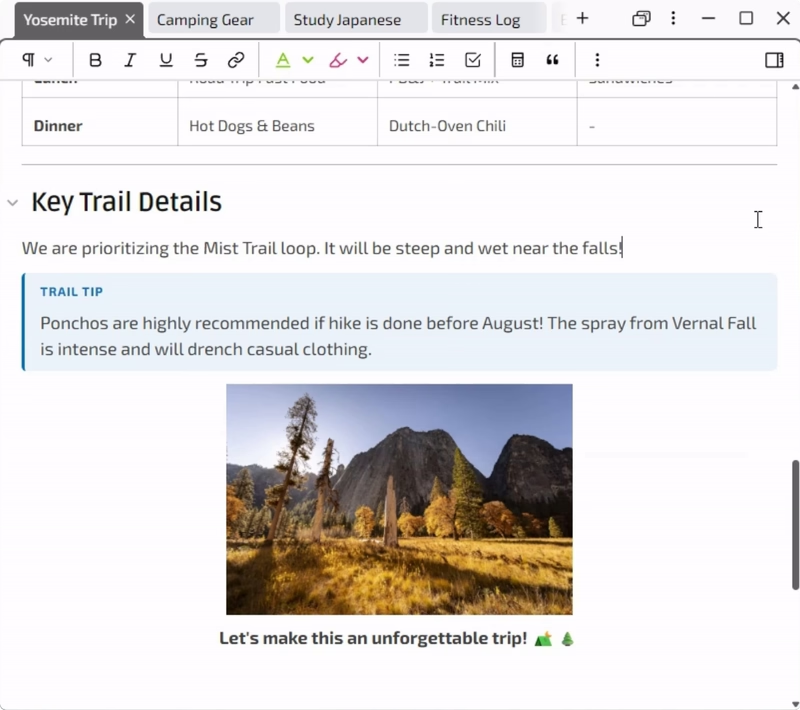
What you'll come to love
Light on your machine
Not built on Electron, so it stays light on RAM and fast even after days left open.
Inline conversions
Type "12 gallons in litres" and the result appears next to it.
Pinned notes
Keep the notes you use most docked to the side, like pinned tabs in a browser.
Global hotkey
A configurable global hotkey brings Cherry Note to the front from any app, ready to catch a fleeting thought.
Deeply customizable
Choose the typeface, color-code your notes, remap keyboard shortcuts, and more.
Hand-crafted
I sweat the details. In an era of vibe-coded apps, this one took eight months, not two weeks.
Unexpected places it fits
- A D&D session log
- A travel planner
- A mini spreadsheet
The editor is only
half the story
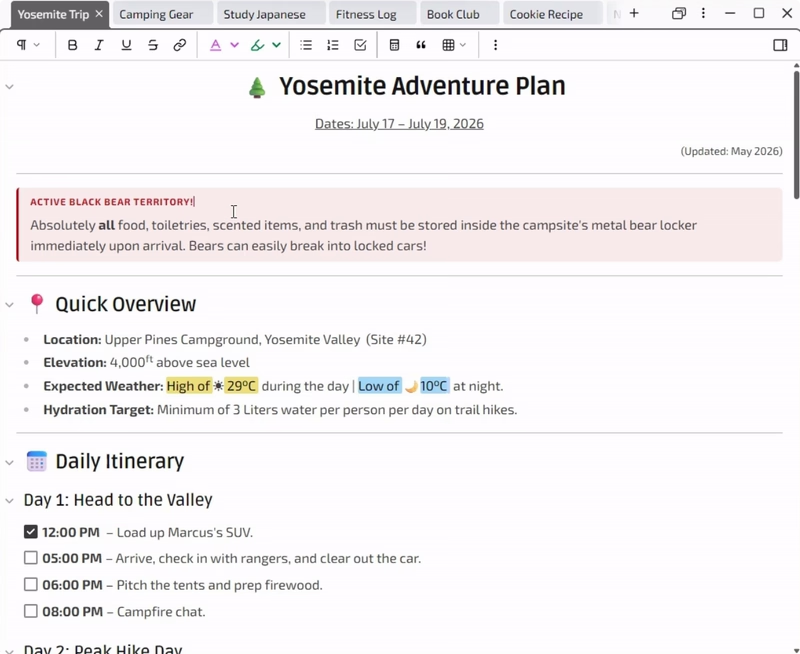
Split view
Read one note while you write another, side by side. Handy for quick reference.
Everything runs on your device
Cherry Note is just an app on your computer, and your notes are just files on your disk.
That's the whole arrangement.
No telemetry
No tracking of where you are or what you click. Cherry Note reaches the internet only to check for updates*, verify a license, or send feedback you submit yourself.
No built-in AI
Not everything has to be AI-powered. Cherry Note stays calm and lets you write.
No lock-in
Every note is a plain-text Markdown file on your own disk. Export to PDF or DOCX anytime.
Pay once. Own it forever.
Free trial
No sign ups, no credit cards required.
Download10-day trial. After it ends, exporting your notes stays available, so your work always remains accessible.
Lifetime license
One-time payment. No recurring charges.
Use it on up to 2 of your personal devices.
- Your notes are just plain text files.
- Runs on Windows and macOS, with Linux coming soon.
- No account, no cloud, no telemetry.
- Export to Markdown, PDF, or DOCX.
Frequently Asked Questions
To teach your assistant Cherry Note's extra syntax (text colors, highlights, callouts, and more), point it to cherry-note.app/llms.txt, or install the ready-made skill from cherry-note.app/SKILL.md.
Read https://cherry-note.app/llms.txt to learn Cherry Note's Markdown syntax, then rewrite my notes below as a well-structured Cherry Note note. Use highlights, callouts, and task lists where they help, and give me Markdown that I can paste into the app. [paste your notes here]
Ctrl+Shift+V on Windows, Cmd+Shift+V on Mac.
Feel it for yourself, in your own notes
Launch Cherry Note and start typing.
Find how it feels in the next five minutes.
Questions or feature requests?
Something you'd love to see in Cherry Note, or a question that isn't answered here? Drop me a line. Feedback from real users is what shapes where the app goes next.